


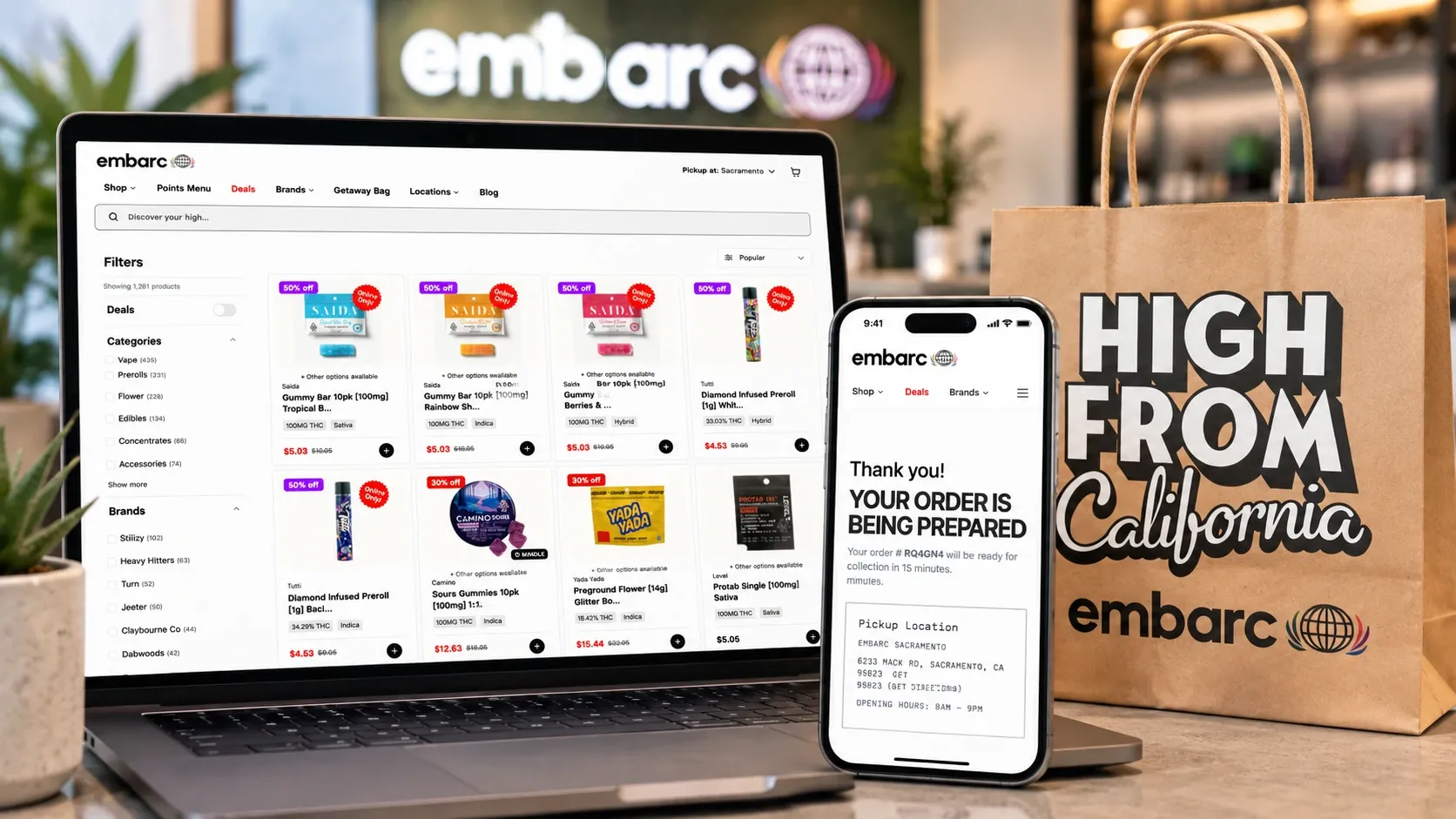
Buy Weed Online: Your Stash is Just a Click Away
Some days, you just don’t have time to browse dispensary shelves; you need to get what you want and get out. Lucky for you, you can buy weed online.
embarc makes it super easy to order cannabis products online for seamless store pickup through the website or app. You can browse products, check out daily deals, and even see if you have Passport Club points to redeem (and shop for rewards!).
If you want to know how to buy weed online from dispensaries like embarc, here’s your step-by-step guide.

The entire embarc menu can be accessed on your phone or comptuer.
How to buy weed online
Shopping for cannabis online is as easy as click, click, pass. Here’s the breakdown.
Step 1 - Go To The Dispensary Site or App
embarc has a streamlined online menu and companion app designed to make ordering as easy as possible.
Step 2 - Browse
There are a ton of ways to find your favorite weed. Shop by product type, brand, size, effects, price, or other customizable options. You can also peruse online or daily deals, which are Passport Club exclusives, so be sure to sign up. It’s free!
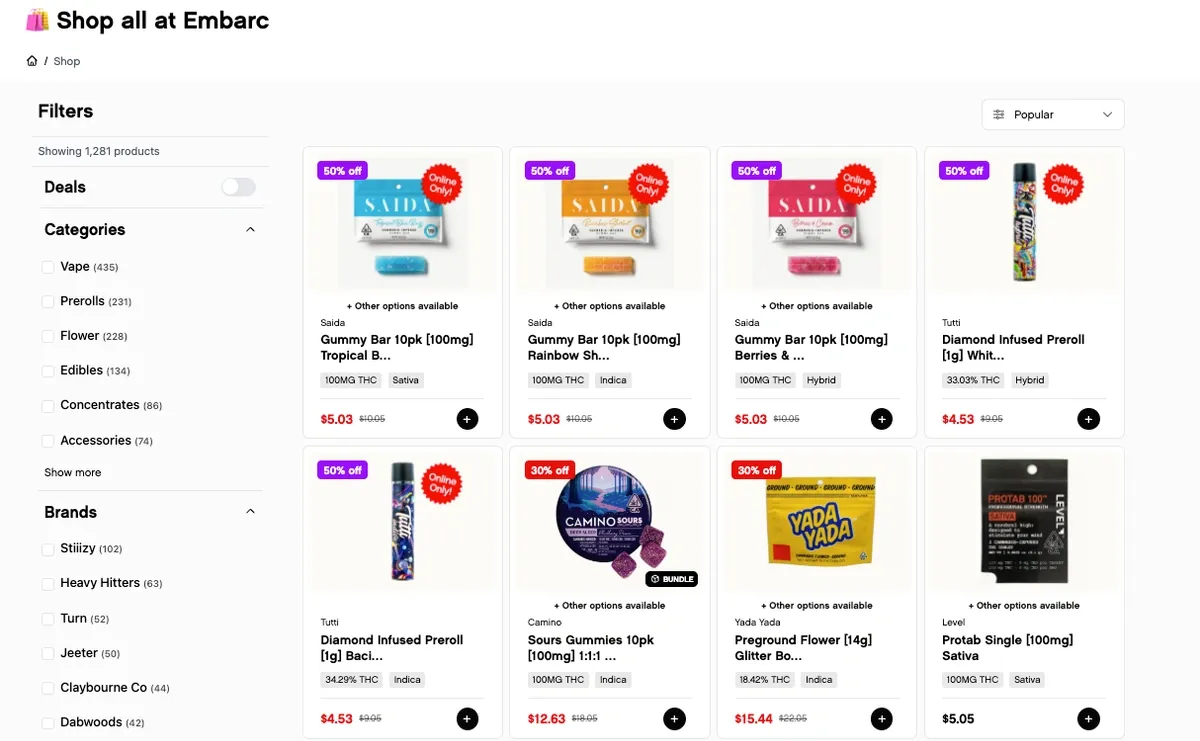
Shop the embarc menu using a ton of customizable options.
Step 3 - Select Your Stash
Once you see the weed you want, you have two options: click ‘buy now’ to go straight to checkout or click ‘add to cart’ if you want to keep browsing. If you’re on your phone, the plus sign puts stuff in your bag.
With the Buy Now option, you can literally order pot faster than it takes to call an Uber. If you keep browsing, your bag will pop up every time you add a new product. You can also click the shopping cart icon in the top right of your screen.
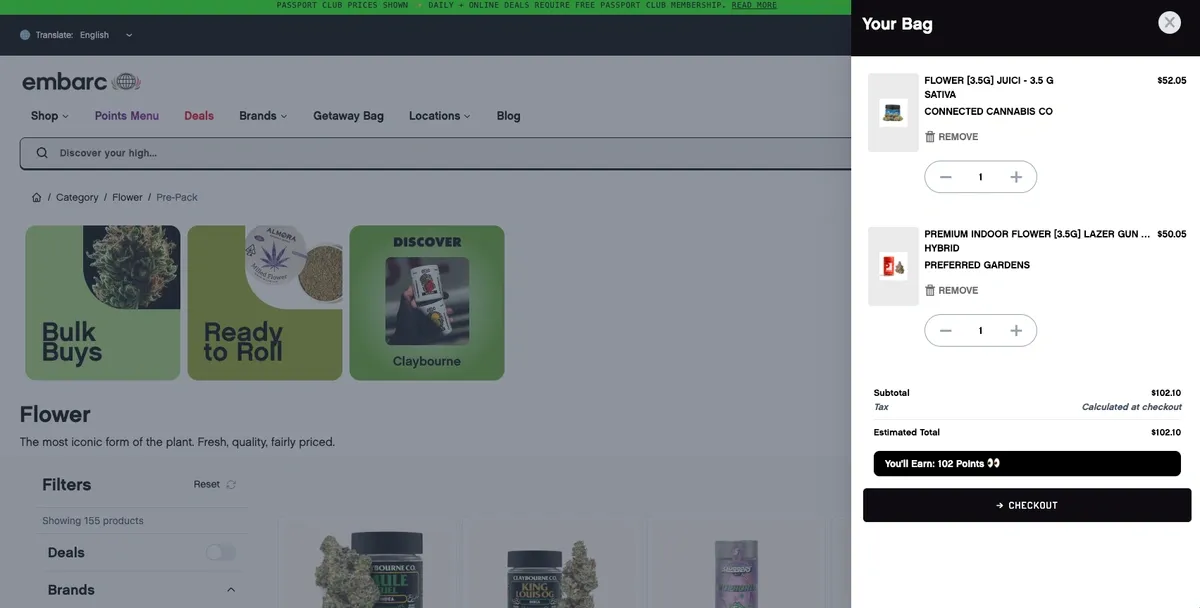
Your embarc bag shows your products, price, and how many Passport Club points you'll earn!
Step 4 - Check Out
The checkout portion of your transaction is seamless. If you’re already logged into your Passport Club profile, you just put in your birthdate. That’s it.
If you’re not logged in, you’ll submit your name, phone number, and email along with your birthday. Don’t worry, you can sign up for Passport Club on the same page with a simple click so you can immediately start earning reward points and possibly even save big on your order.
If you have a discount code, you can enter that too. Otherwise, click ‘Complete Purchase’ and your order will be sent to your local embarc dispensary.
Then you’ll get a confirmation with an order number and an estimate of how long it’ll take to pack your products. This allows you to plan your day and set up a seamless pick-up at the shop.
Once your order is ready, you’ll get another email to let you know. Time to head to the dispo!
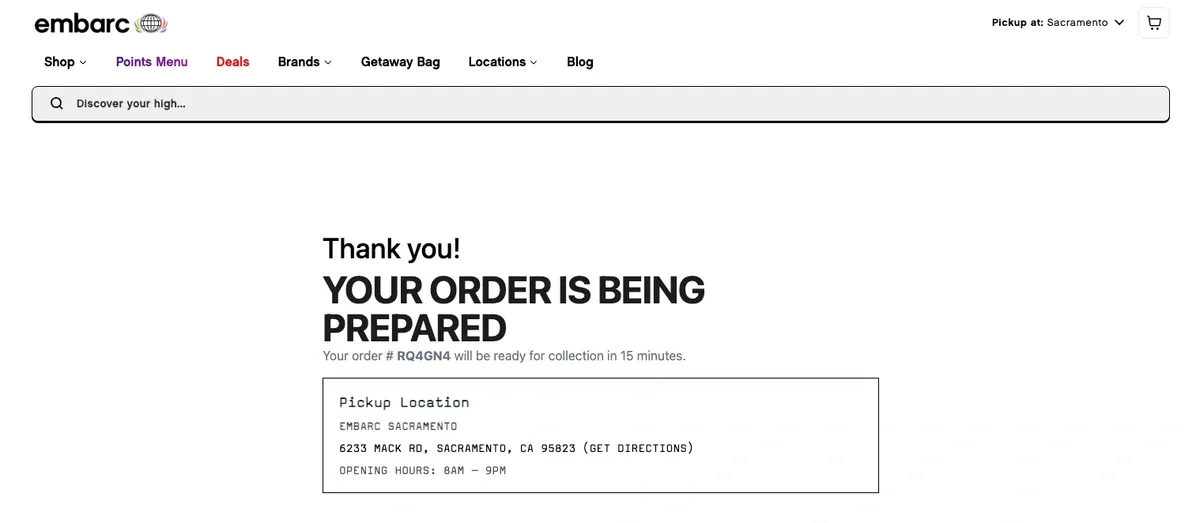
embarc orders are typically ready in a flash!
Step Five - Pick Up Your Pot
This is arguably the best part of your weed-shopping adventure: securing the bag.
Head to your embarc location and check in. Don’t forget your government ID! Remember, you have to be 21 or over to buy recreational cannabis in California, or 18 or over with a valid medical recommendation.
Once you’re inside, head to the online orders counter. Show your ID again, pay the tab, and walk out with your weed. If you want to explore a bit in the store to see if there’s anything fresh, you’re welcome to do that, too.
After the deal is done, you can keep your day moving. Maybe you’re running other errands. Maybe you’re heading home to get high. Either way, you can buy weed online in no time at all (and earn rewards while you do it!) thanks to embarc.